Kinovah Shield
Family digital protection center
Clear tools for scam reports, message checks, and known breach lookups
Family Scam Alert lets you report a suspicious message and warn the people who help. Password and email checks use real breach data only. Shield is in beta — it does not catch every scam, and a clear check does not guarantee safety.

Security dashboard
Your family’s protection center
One place to check a password, review a suspicious message, and share a short family warning when something looks wrong.

Shield · Beta
Seven tools in one place
Shield helps families spot common warning signs and known exposure. It does not catch every scam, and a clear check does not guarantee safety.
- Beta
Overview
See the Shield tools in one place: scam reporting, message checks, email and password checks, family alerts, and learn guides.
- Beta
Report a scam
Write down a suspicious call, text, or email for your own records, and optionally send a short warning to your family.
- Beta
Message checker
Paste a worrying message to review common warning signs such as urgency, secrecy, and unusual payment requests. The text is not saved.
- Beta
Email checks
Check your own confirmed email against known breach data. Optionally turn on weekly monitoring for new breaches only. Results are not a safety guarantee.
- Beta
Password check
See whether a password has appeared in known breaches. The password is not stored, and it is not sent in full.
- Beta
Family alerts
Review scam alerts shared inside your family circle so the people who help stay informed together.
- Beta
Learn
Read plain-English guides on common scam types and where to report fraud. Education only — not legal advice.
See it in action
Illustrative examples
Illustrative examples using fictional Morgan Family sample data. Not live customer accounts or actual customer activity.
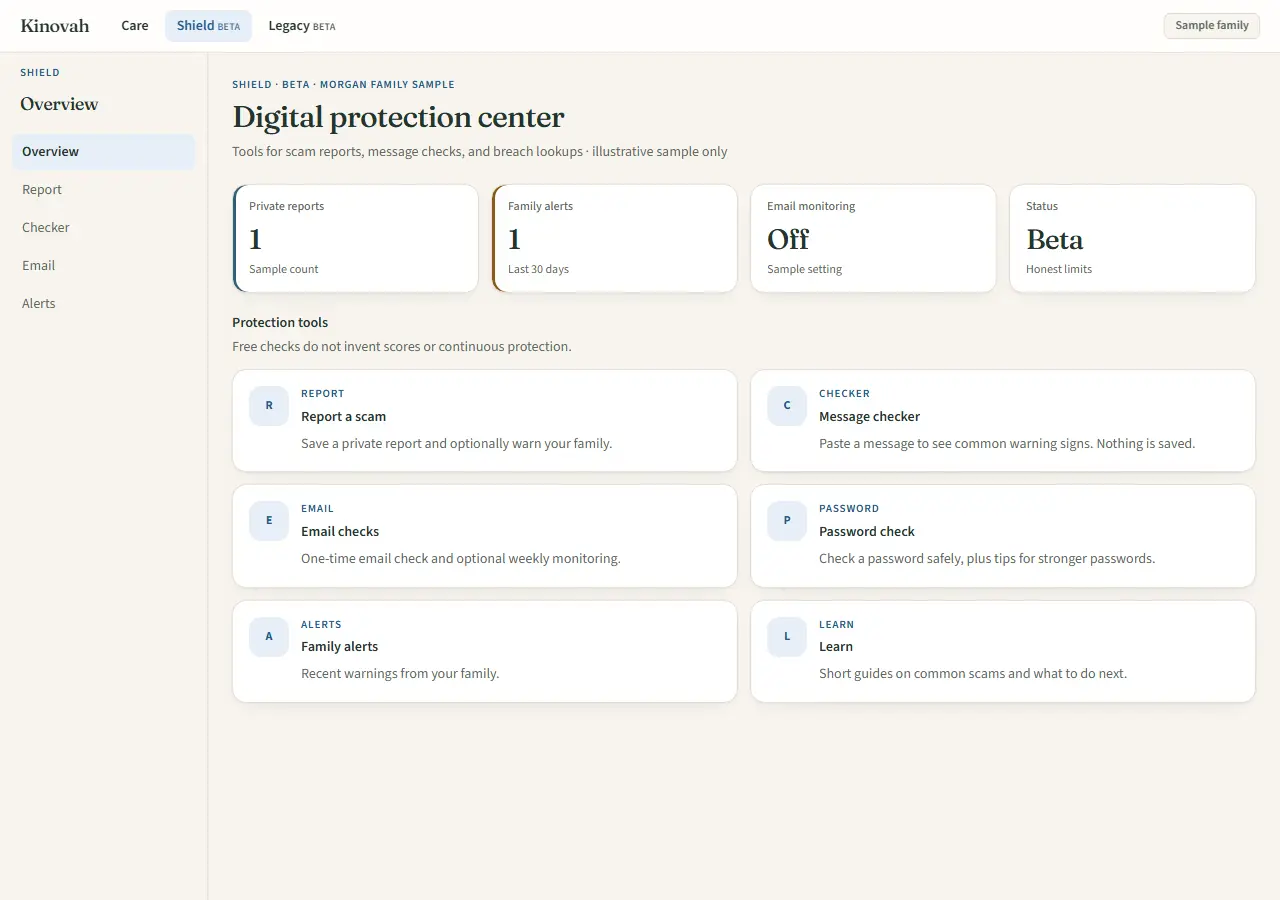
OverviewIllustrative example · Sample data 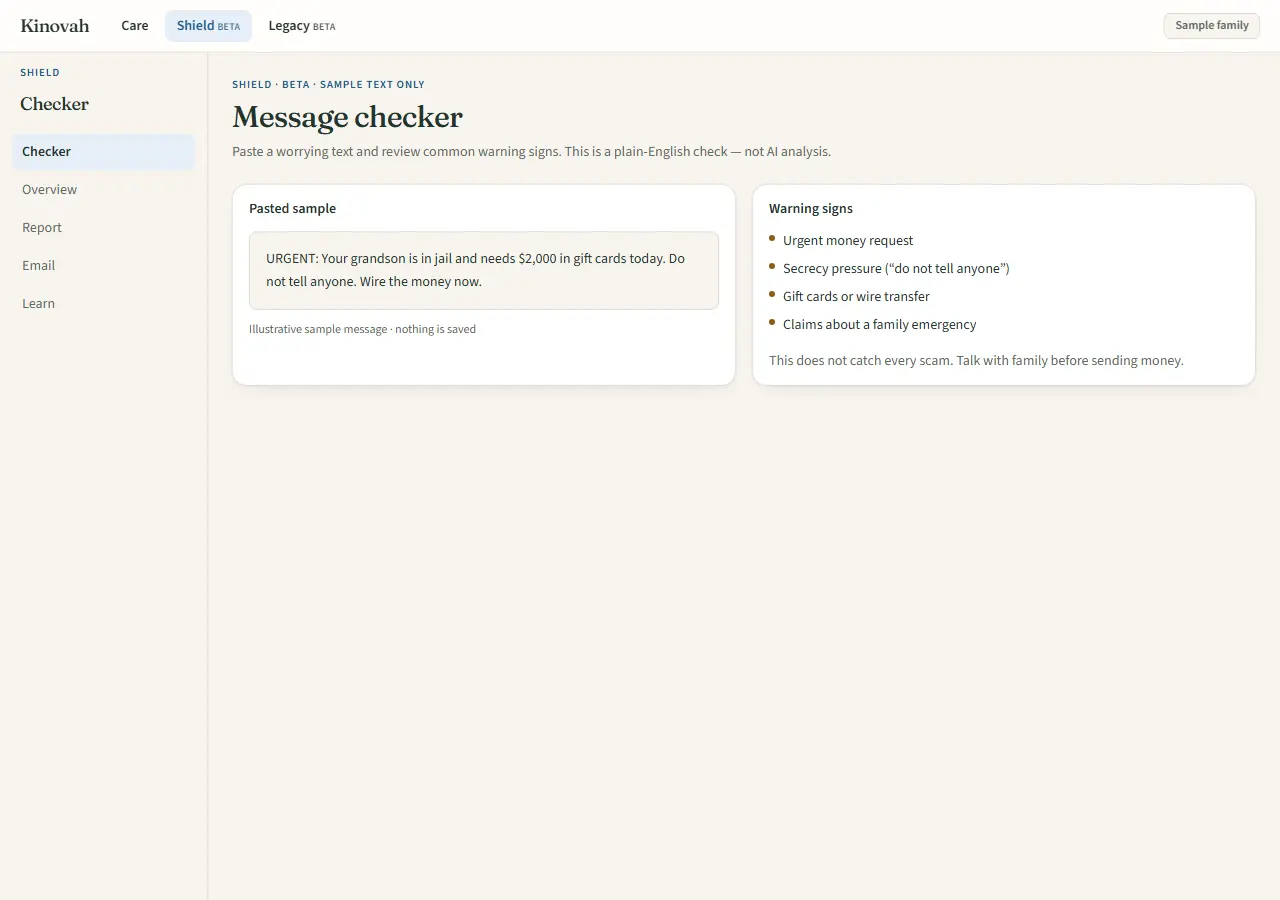
Message checkerIllustrative example · Sample data 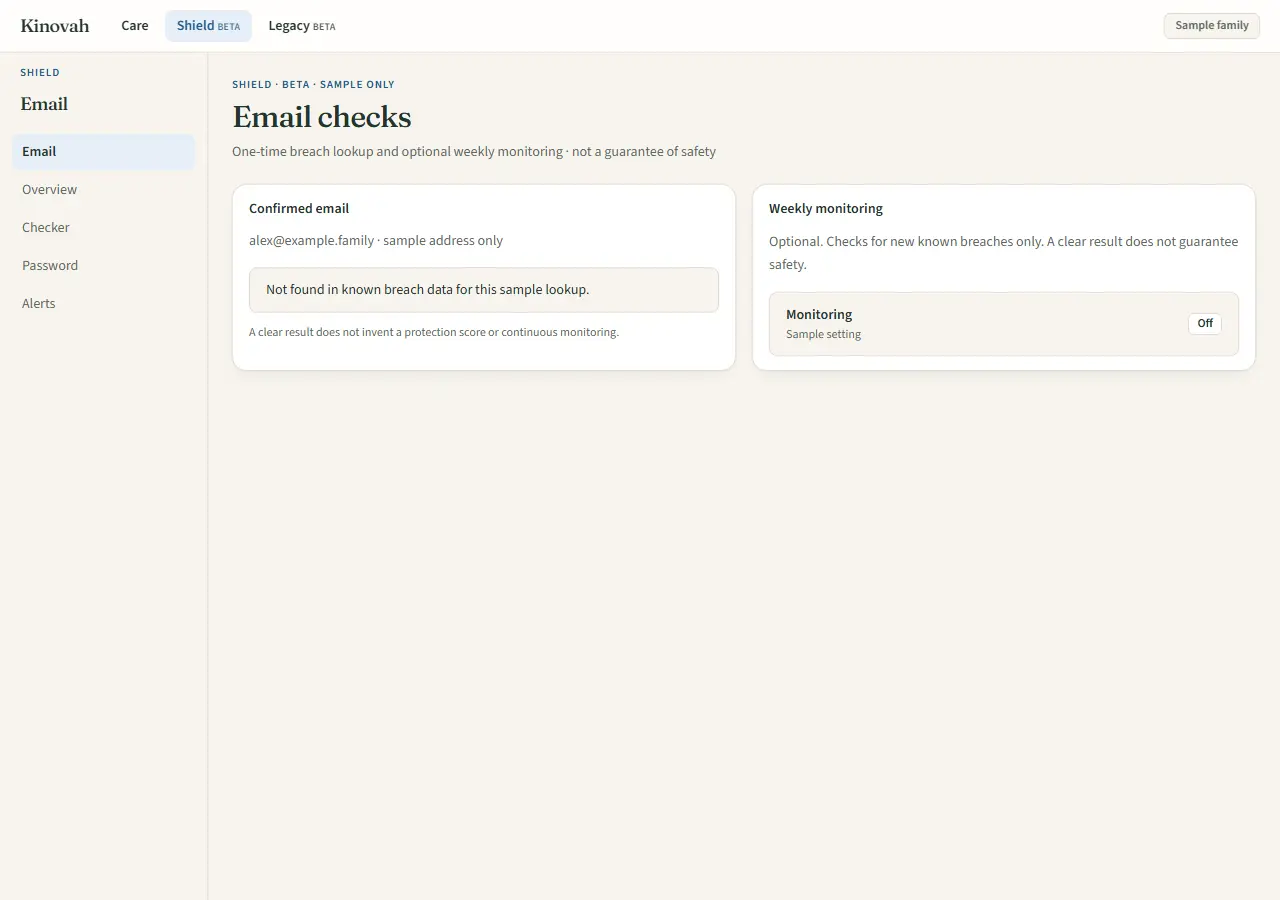
Email checksIllustrative example · Sample data


Limits
What it does not do
Shield does not catch every scam. It is not antivirus software and does not provide real-time monitoring. It does not give legal advice, and it does not replace your bank, your phone company, or the police. An email check cannot look up an email that belongs to someone else. Weekly monitoring is opt-in and can be turned off in Account → Notifications.
Questions
Straight answers in plain English.
Is Kinovah Shield free?
Yes. Kinovah is in Free Early Access. Shield is in beta on the same login as Care. No credit card is required.
Who can see my Shield information?
Family scam alerts can reach people in your family when you choose to warn them. Private scam report text and email breach checks stay with your account. An email check cannot look up someone else's email.
What does Beta mean?
Shield is in beta. The tools help families spot scams and share short warnings. They do not catch every scam, and they are not a guarantee.
Is this legal advice?
No. Kinovah does not give legal advice. Shield does not replace your bank, your phone company, or the police.
Does a password check store my password?
No. The password check does not store the password, and it does not send the password in full.