Kinovah Care
Warm coordination for the people who help
Coordinate medications, appointments, tasks, and family updates in one calm place. Kinovah Care is available now. It helps families stay organized — it is not a licensed medical service and does not give medical advice.
- Needs attentionNothing due
- Coming upNo appointments
- ResponsibilityNo assignments
See it in action
Illustrative examples
Illustrative examples using fictional Morgan Family sample data. Not live customer accounts or actual customer activity.
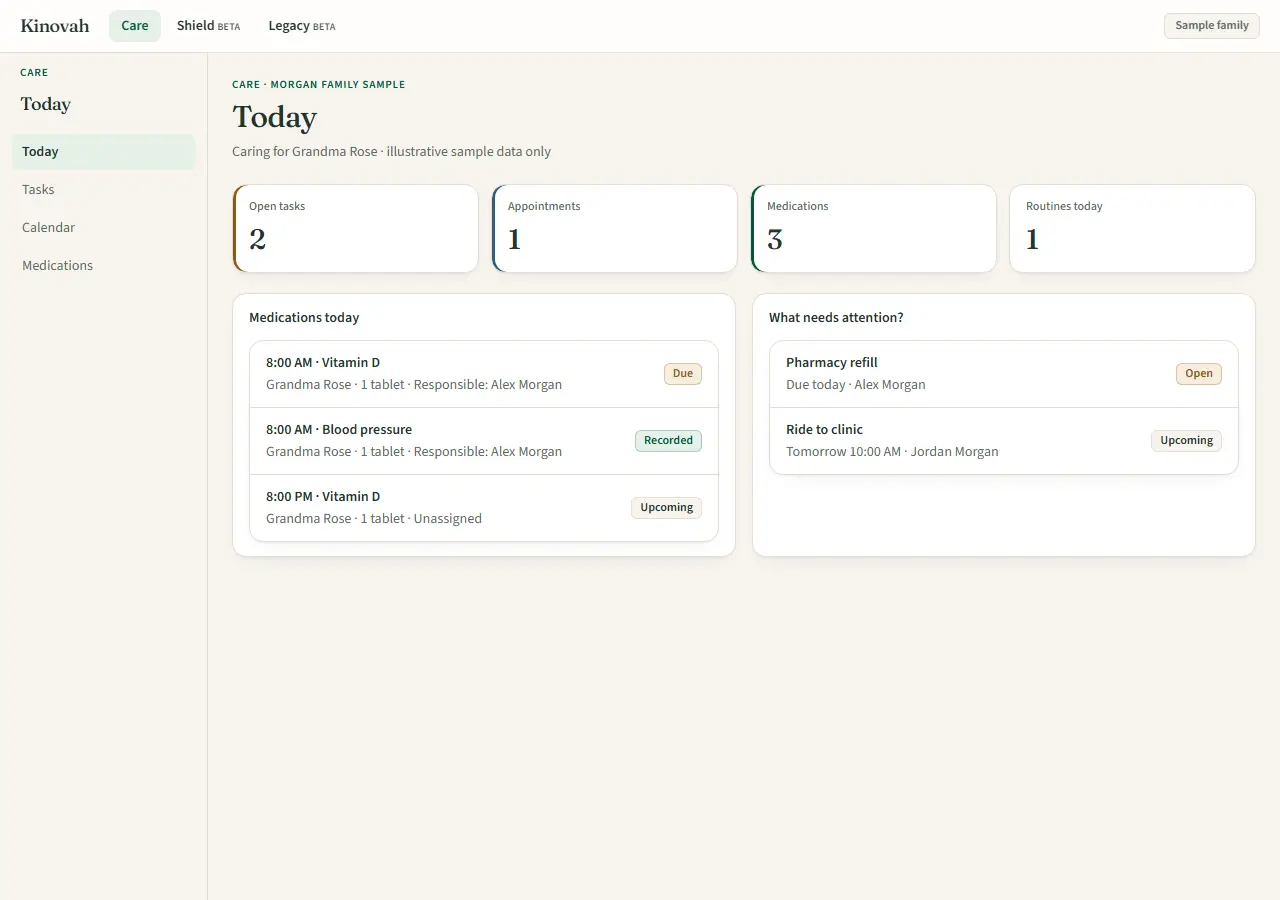
TodayIllustrative example · Sample data 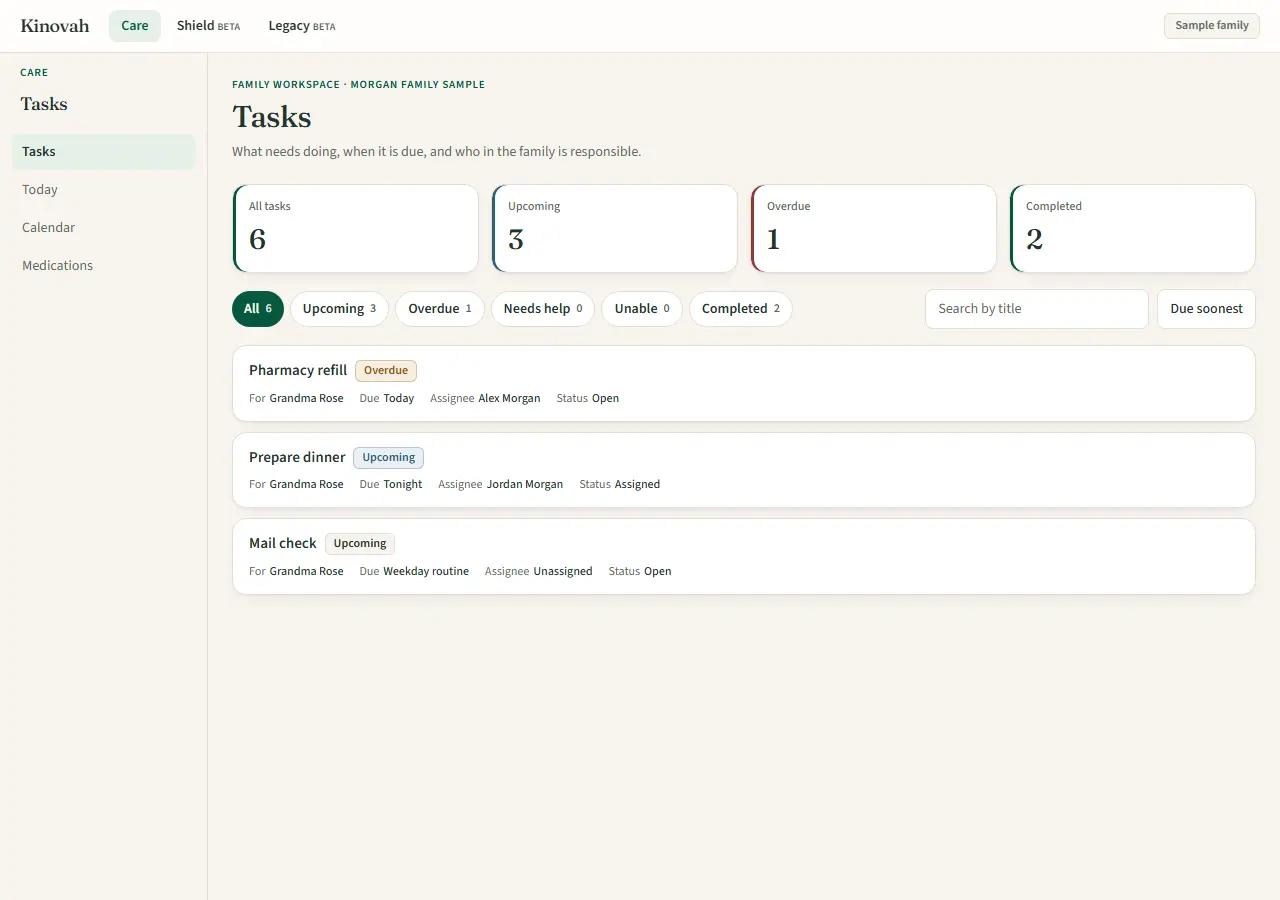
TasksIllustrative example · Sample data 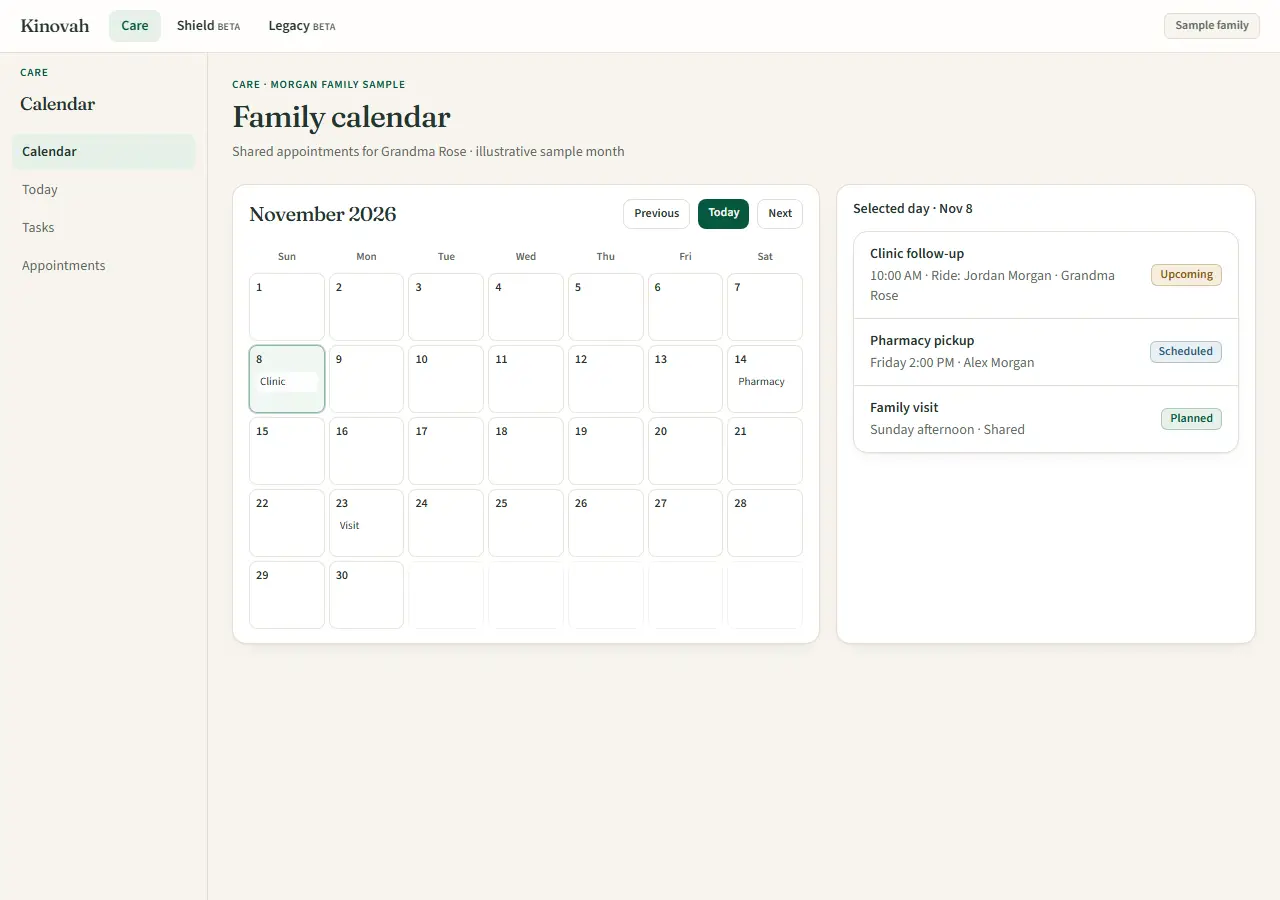
CalendarIllustrative example · Sample data


In Care
What the family coordinates
These are the areas of Kinovah Care. Empty accounts will stay empty until a family adds real information.
Today responsibilities
See what each person is responsible for in the next 7 days, with what is overdue, due today, or coming up.
Tasks
See what needs doing, when it is due, and which person in the family is responsible.
Shared calendar
Keep appointments in one place so rides, visits, and follow-ups are not trapped in one person’s phone.
Medications
Record what someone takes and the schedule the family is working from.
Medication history
See what family members recorded as completed or skipped over the last 7 or 30 days. It is recorded by family and not verified.
Daily care routines
Coordinate repeating home responsibilities, such as meals, laundry, and a weekday mail check.
Care notes
Leave a short update that the rest of the family can read without a group text.
Caregiver handoffs
Leave a short update for the next person: what happened, what needs attention, and what is still unfinished.
Family discussion
Reply to comments in a thread, and type @family to send a notice to everyone else in the family.
Emergency information
Keep allergies, conditions, a preferred hospital, and who to call where the family can find them. Print a one-page emergency card.
Weekly family summary
Look back over the last 7 days in the app. An optional Sunday email gives counts and a link, with no private details.
Documents
Store important papers with the family, privately, instead of forwarding them around.
Getting started
How a family uses it
01
Create a family
The family is the workspace. Care records belong to it, not to a single login.
02
Add the loved one receiving care
A loved one’s profile is the home for appointments, medications, notes, and emergency details.
03
Invite the people who help
Owners and admins invite caregivers and members, and each person has a role.
Questions
Straight answers in plain English.
Is Kinovah Care free?
Yes. Kinovah is in Free Early Access. There is no charge today, and no credit card is required.
Who can see my care information?
People you invite into your family, and only within the role you give them. Someone who is not a member of that family cannot open its care records.
What does Beta mean for Shield and Legacy?
Care is available now. Shield and Legacy are in beta on the same login. Beta means the tools work for early families, and we may still change details as we learn.
Is this medical advice?
No. Kinovah does not give medical advice. It helps a family keep shared notes and schedules. It is not a doctor or an emergency service.
Can I delete my data?
Yes. From Account, you can download your account and delete it after you enter your password.