Kinovah Legacy
Private continuity for what you leave behind
Keep important documents and account lists in an encrypted vault, then release only what you choose to people you name. Naming a trustee does not share anything by itself. Legacy is in beta and does not create court-ready estate documents or take the place of an attorney.

How it works
Four steps, always under your control
01
Create your plan
Add documents to your vault and list the accounts and assets that matter.
02
Name trustees
Invite the people you trust. Naming someone does not share anything yet.
03
Trustee accepts
They accept the invite by email. You still decide what, if anything, they can see.
04
You confirm and release
You review, enter your password, and release only what you choose. You can turn a release off anytime.
A missed check-in never releases anything. Vault files are encrypted at rest, not end-to-end. Legacy does not replace a will, trust, or power of attorney.
See it in action
Illustrative examples
Illustrative examples using fictional Morgan Family sample data. Not live customer accounts or actual customer activity.
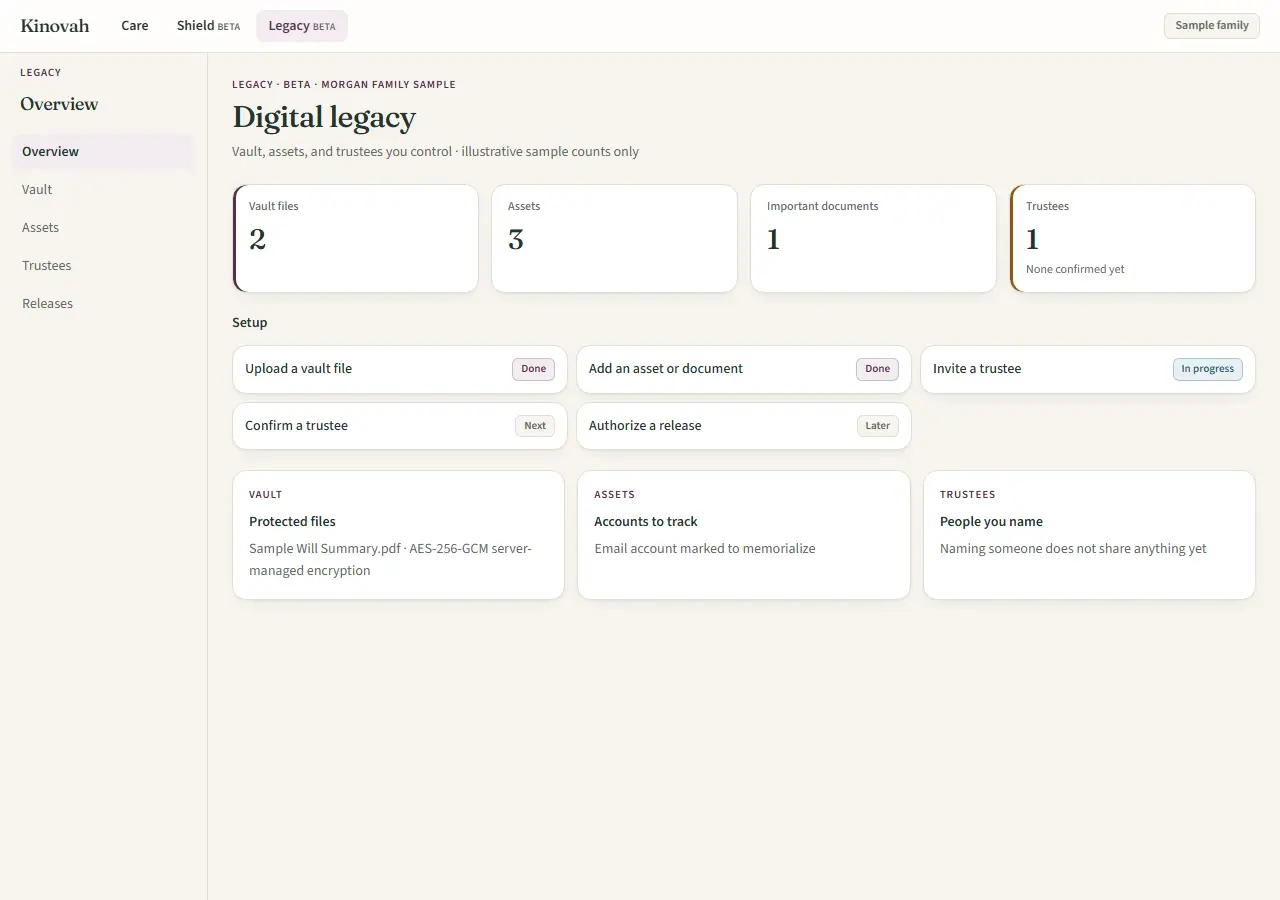
OverviewIllustrative example · Sample data 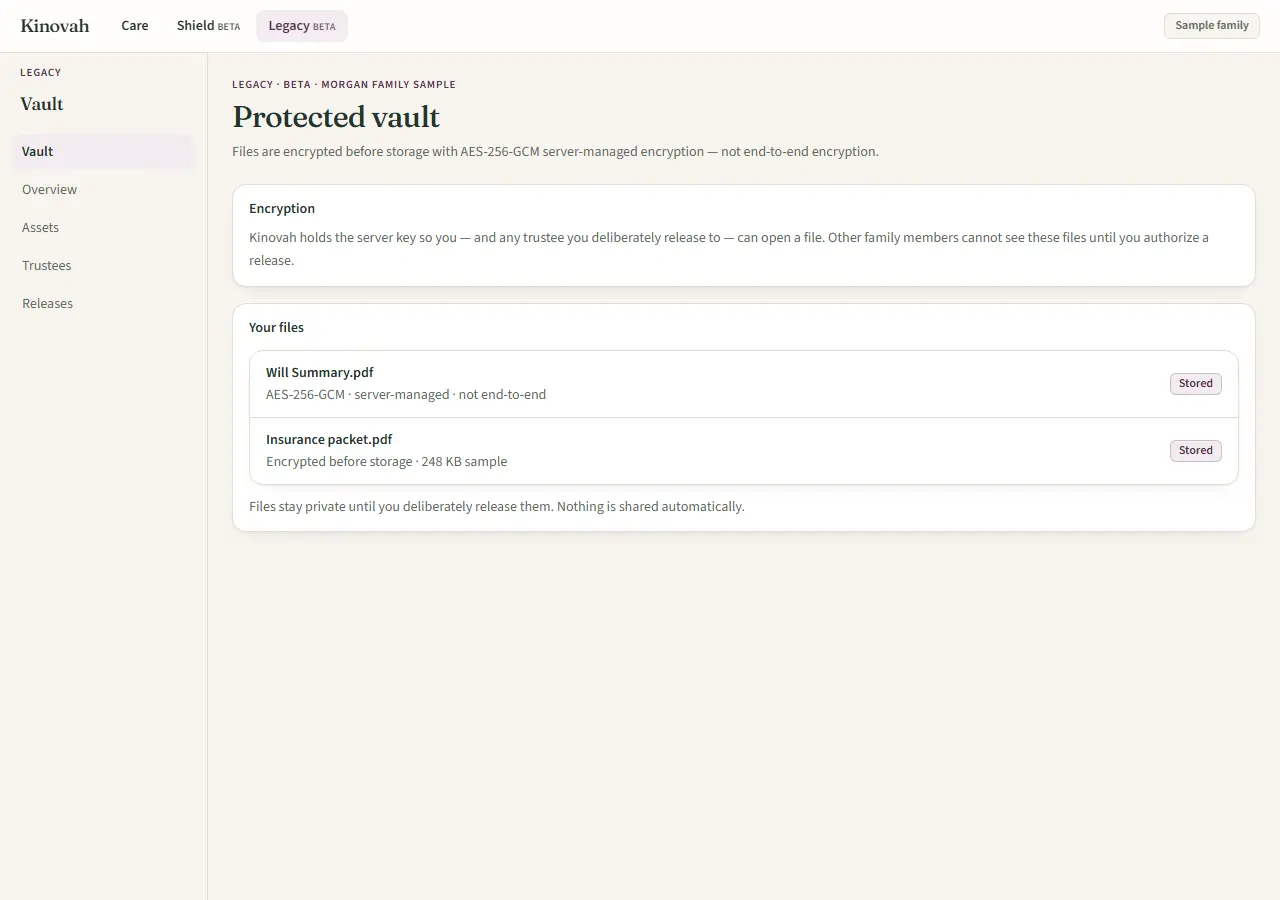
Protected vaultIllustrative example · Sample data 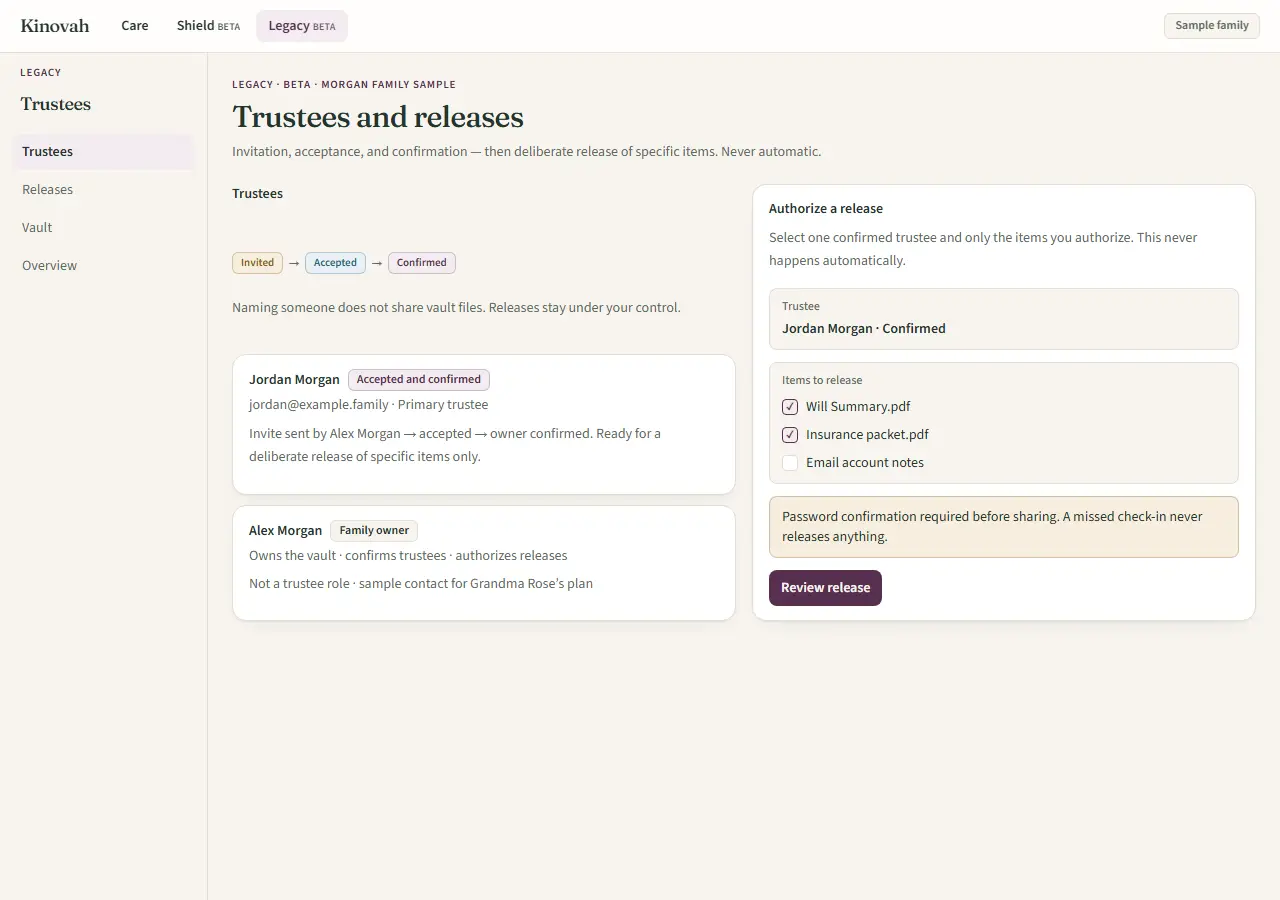
Trustees and releasesIllustrative example · Sample data


In Legacy
What it does
An encrypted vault
Files you store are encrypted at rest before storage. This is not end-to-end encryption. They are not posted on a public link.
Documents and assets
List online accounts, websites, subscriptions, devices, and important papers. For each one, you can say what should happen later.
Trustees
You name the people you trust. They accept by email, and then you confirm it is the right person. Naming someone does not share anything by itself.
Release permissions
You choose who sees what. Before anything is shared, you review it and enter your password. You can turn a release off at any time.
Access history
You can see when you shared something and when a trustee opened it.
Check-ins
A yearly review reminds you to look over your plans. Missing one does not share anything.
Your choice
Still yours
You decide what goes in, who can see it, and when. Kinovah Legacy does not give legal advice, and it does not replace an attorney.
Questions
Straight answers in plain English.
Is Kinovah Legacy free?
Yes. Kinovah is in Free Early Access. Legacy is in beta on the same login as Care. No credit card is required.
Who can see my Legacy vault?
Legacy files stay private until you release them. Naming a trustee does not share anything. A trustee sees an item only after they accept, you confirm them, and you release it.
What does Beta mean?
Legacy is in beta. You can store documents and name trustees today. We may still change details as early families use it.
Is this legal advice?
No. Kinovah does not give legal advice. Legacy does not replace a will, trust, or power of attorney.
Does a missed check-in share my files?
No. A missed check-in does not share anything. You decide what is released, and when.