Skip to content

Kinovah

Protect what matters. Care for who matters. Preserve what lasts.

One private family workspace for Care, Shield, and Legacy — coordinate daily help, check for known password and email exposure, and keep important documents ready for the people you choose.

Free Early Access

Free Early AccessPrivate by designNo credit card required.

An adult daughter and her mother stand together outdoors in warm evening light.
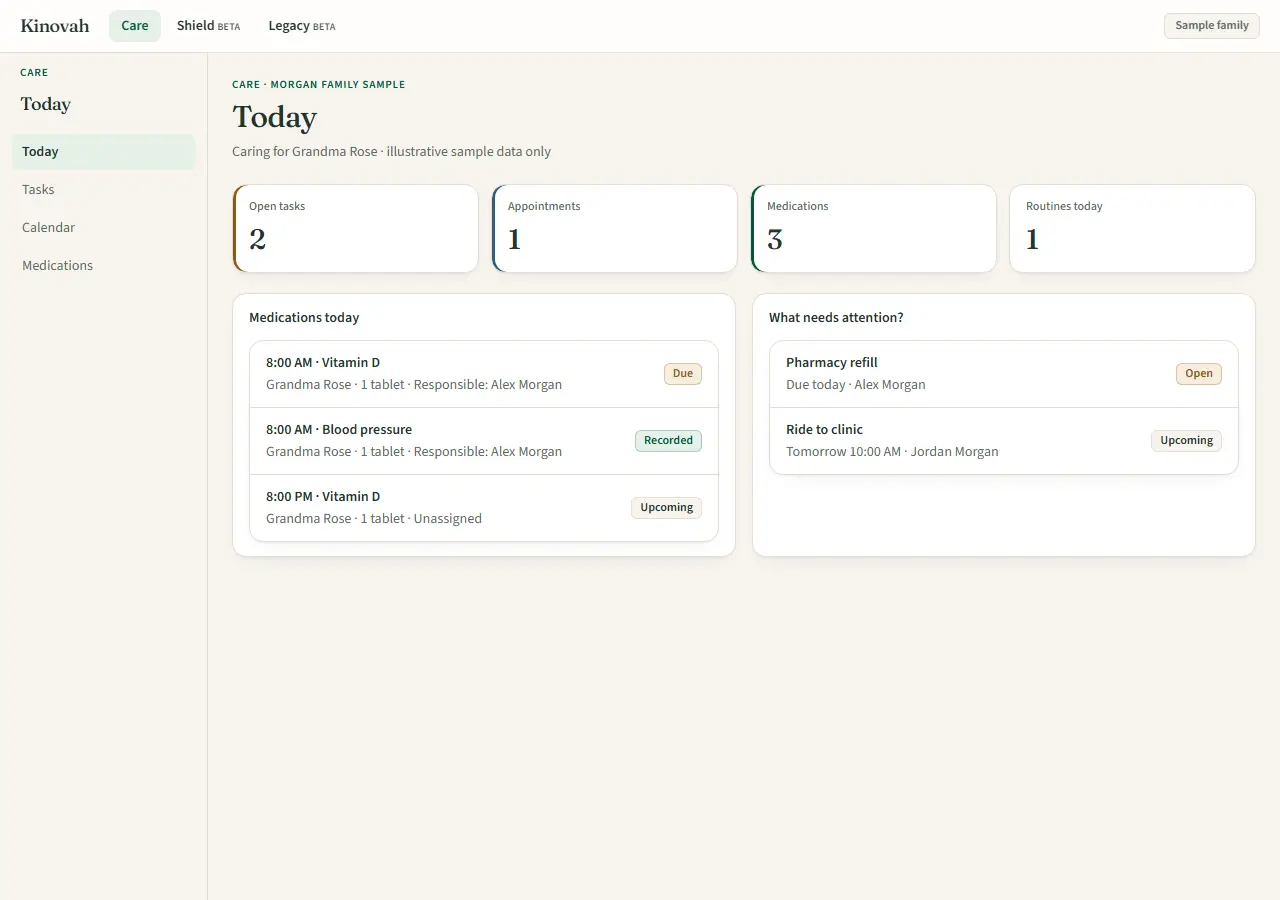
Example of the Kinovah Today screen, with summary cards and a medication row. Sample layout, not a real family.

What is true today

  • Encrypted Legacy vault

    Files are encrypted at rest before they are stored. This is not end-to-end encryption.

  • You control releases

    Naming a trustee does not share anything. Nothing leaves the vault until you release it.

  • Delete your data anytime

    You can delete your account from Account after you enter your password.

  • Download your data

    You can download your account from Account.

  • No ads

    Kinovah does not show advertisements.

  • We never sell your data

    Kinovah does not sell your personal information.

Three ways to help your family

Kinovah Care is available now. Shield and Legacy are in beta, and they use the same login.

How it works

One family, one login for each person, and a role that limits what they can see.

  1. 01

    Create your family

    Name the family and the person you are caring for. The records belong to the family, not to one phone.

  2. 02

    Invite the people who help

    Each person has their own login and a role. They see only what that role allows.

  3. 03

    Coordinate and protect

    Use Care for the day to day, Shield for a password check and an email breach check, and Legacy for the vault.

Product previews

A closer look at Care, Shield, and Legacy

One illustrative preview for each core — Care Today, Shield Overview, and Legacy Overview — using fictional Morgan Family sample data.

  • Illustrative Kinovah Care Today screen with sample tasks, medications, and appointments for Grandma Rose. Sample family data only — not real customer information.
    TodayIllustrative example · Sample data
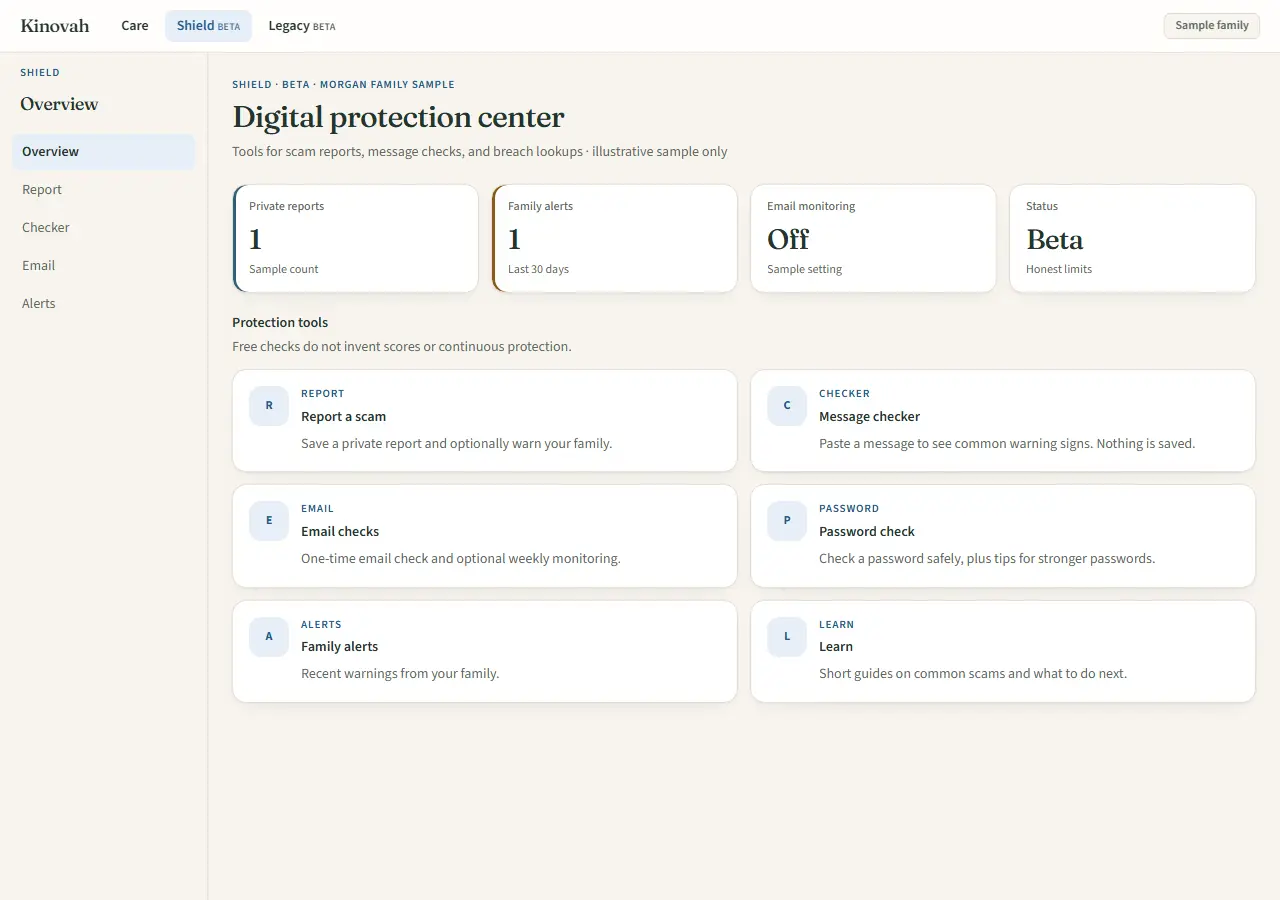
  • Illustrative Kinovah Shield overview with tool cards for report, message checker, email, password, alerts, and learn. Sample data only — not real customer information.
    OverviewIllustrative example · Sample data
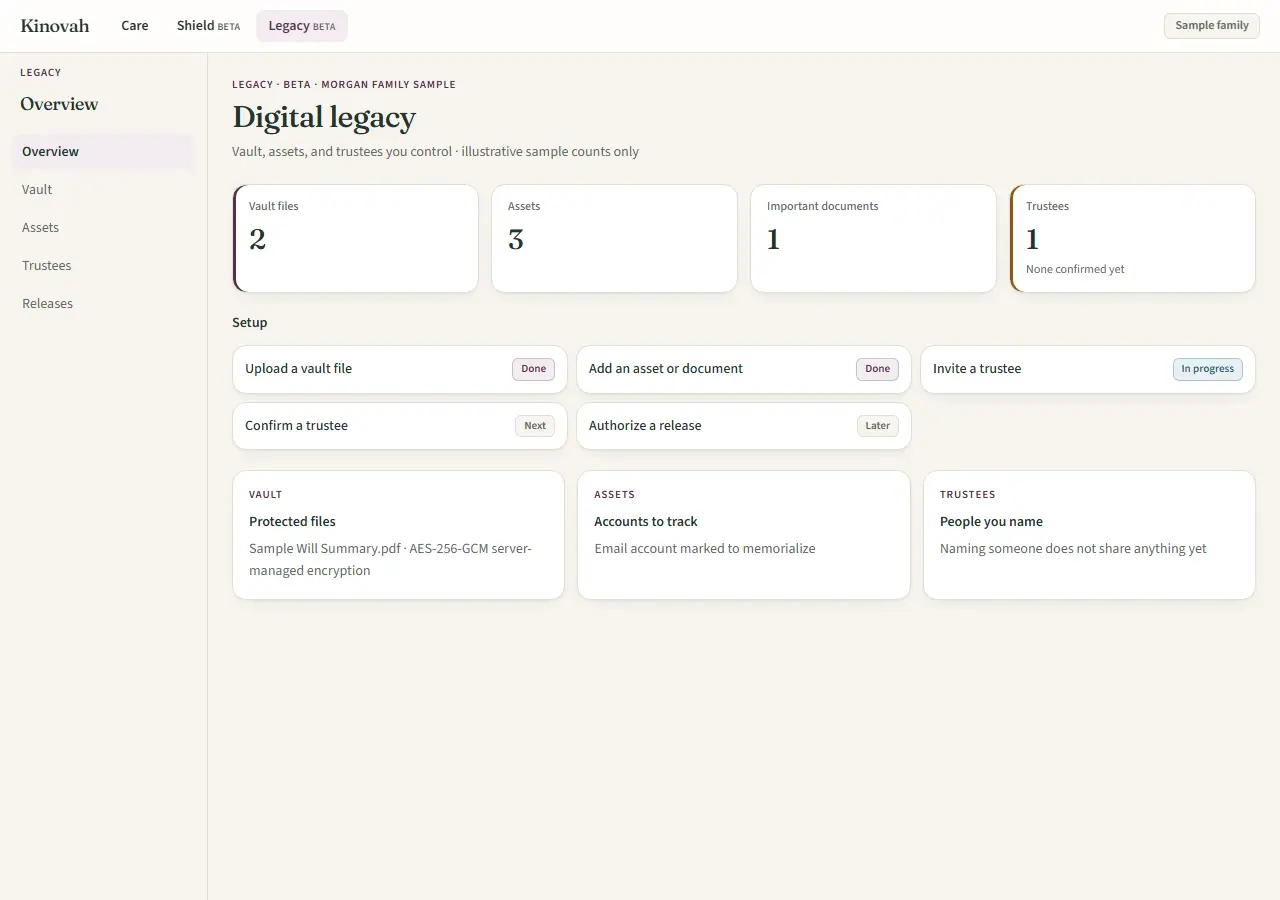
  • Illustrative Kinovah Legacy overview with vault, assets, and trustee planning for the sample Morgan Family. Sample data only — not real customer information.
    OverviewIllustrative example · Sample data

Shield · Beta

Seven tools in one place

Shield helps families spot common warning signs and known exposure. It does not catch every scam, and a clear check does not guarantee safety.

  • Beta

    Overview

    See the Shield tools in one place: scam reporting, message checks, email and password checks, family alerts, and learn guides.

  • Beta

    Report a scam

    Write down a suspicious call, text, or email for your own records, and optionally send a short warning to your family.

  • Beta

    Message checker

    Paste a worrying message to review common warning signs such as urgency, secrecy, and unusual payment requests. The text is not saved.

  • Beta

    Email checks

    Check your own confirmed email against known breach data. Optionally turn on weekly monitoring for new breaches only. Results are not a safety guarantee.

  • Beta

    Password check

    See whether a password has appeared in known breaches. The password is not stored, and it is not sent in full.

  • Beta

    Family alerts

    Review scam alerts shared inside your family circle so the people who help stay informed together.

  • Beta

    Learn

    Read plain-English guides on common scam types and where to report fraud. Education only — not legal advice.

Privacy and security

Kinovah is a private place for your family. It does not give medical or legal advice, and it is not an emergency service. It does not claim a security certification. Read more on Security and Privacy.

  • Legacy is encrypted at rest

    Files you add to the Legacy vault are encrypted before they are stored. This is not end-to-end encryption. They are not posted on a public link.

  • Releases you control

    Naming a trustee does not share anything. Nothing leaves the vault until you release it. A missed check-in does not share anything.

  • Family roles

    Owners, admins, caregivers, and members are not the same. Someone outside the family cannot open your care records.

  • Download and deletion

    You can download your account from Account, and you can delete your account after you enter your password.

  • No ads

    Kinovah does not show advertisements.

  • We never sell your data

    Kinovah does not sell your personal information.

Why I built Kinovah

Caring for someone you love should not feel so stressful or complicated.

Families carry a lot. Appointments, medications, important papers, daily care, and keeping everyone in the loop can quickly become overwhelming, especially when the work is shared between several people who live in different places.

My promise is simple: Kinovah will help you spend less time organizing care and more time with the people you love. I will keep it simple, affordable, private, and reliable, so every family member knows what needs to be done and nobody feels alone.

Eric HihegloFounder of Kinovah · M.S. in Cybersecurity, University of Southern Maine

Read more about Kinovah

A multigenerational family sits together on a couch, faces warm and close.

Helpful guides

Short, practical reading for families who are sharing care and watching for trouble.

Browse all guides →

Questions

Straight answers about privacy, trustees, and what Kinovah is for.

Is it free?

Yes. Kinovah is in Free Early Access. There is no charge today, and no credit card is required.

Who can see my information?

People you invite into your family, and only within the role you give them. Someone who is not a member of that family cannot open its records. Legacy vault files stay private until you release them.

What is a trustee?

A trustee is a person you name in Kinovah Legacy. Naming a trustee does not share anything. You decide what that person can see, and when.

Does Kinovah give legal or medical advice?

No. Kinovah does not give legal or medical advice. It is not a doctor, a lawyer, a bank, or an emergency service.

Can I delete my data?

Yes. From Account, you can download your account and delete it after you enter your password. If you are the only owner and other people are still in the family, transfer ownership or delete the family first.

Which devices work?

Kinovah works in a current web browser on a phone, tablet, or computer. You can add it to your home screen from the browser. There is no app store download.

What can I use today?

Kinovah Care is available now for medications, appointments, tasks, and family updates. Shield and Legacy are in beta, on the same login.

Start your family circle today

Create a free account and invite the people who help. Free Early Access. No credit card required.

Create free account